Case study · R&E Tours · In progress
Designing a dashboard for R&E Tours’ tour records
The problem
Tour records live in multiple spreadsheets spread across multiple folders in Google Drive. [What that costs — time spent hunting, records that don’t match, things that slip.]
What I’m doing
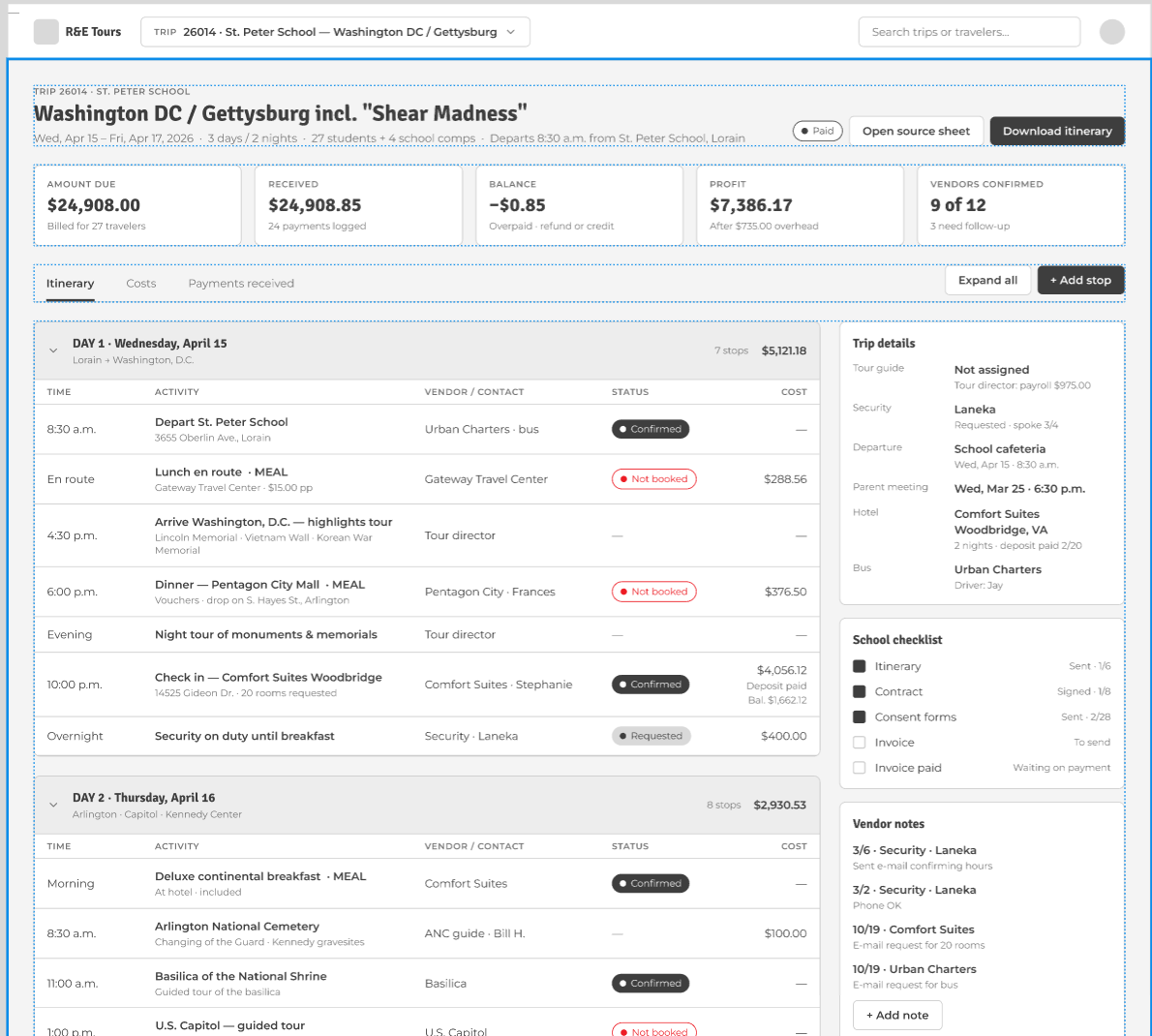
I’m designing and building a dashboard that brings those records together in one place. It runs on Google Apps Script, so it lives in Google Drive right alongside the files Rick already uses. [What it lets Rick see or do at a glance.]
Where it stands
The dashboard is in the design phase. [What’s next — e.g. a prototype for Rick to test, then development.]
Context
R&E Tours is owned and operated by Rick Klimek. After I rebuilt the R&E Tours website, the next project was a dashboard for the company’s tour record keeping.
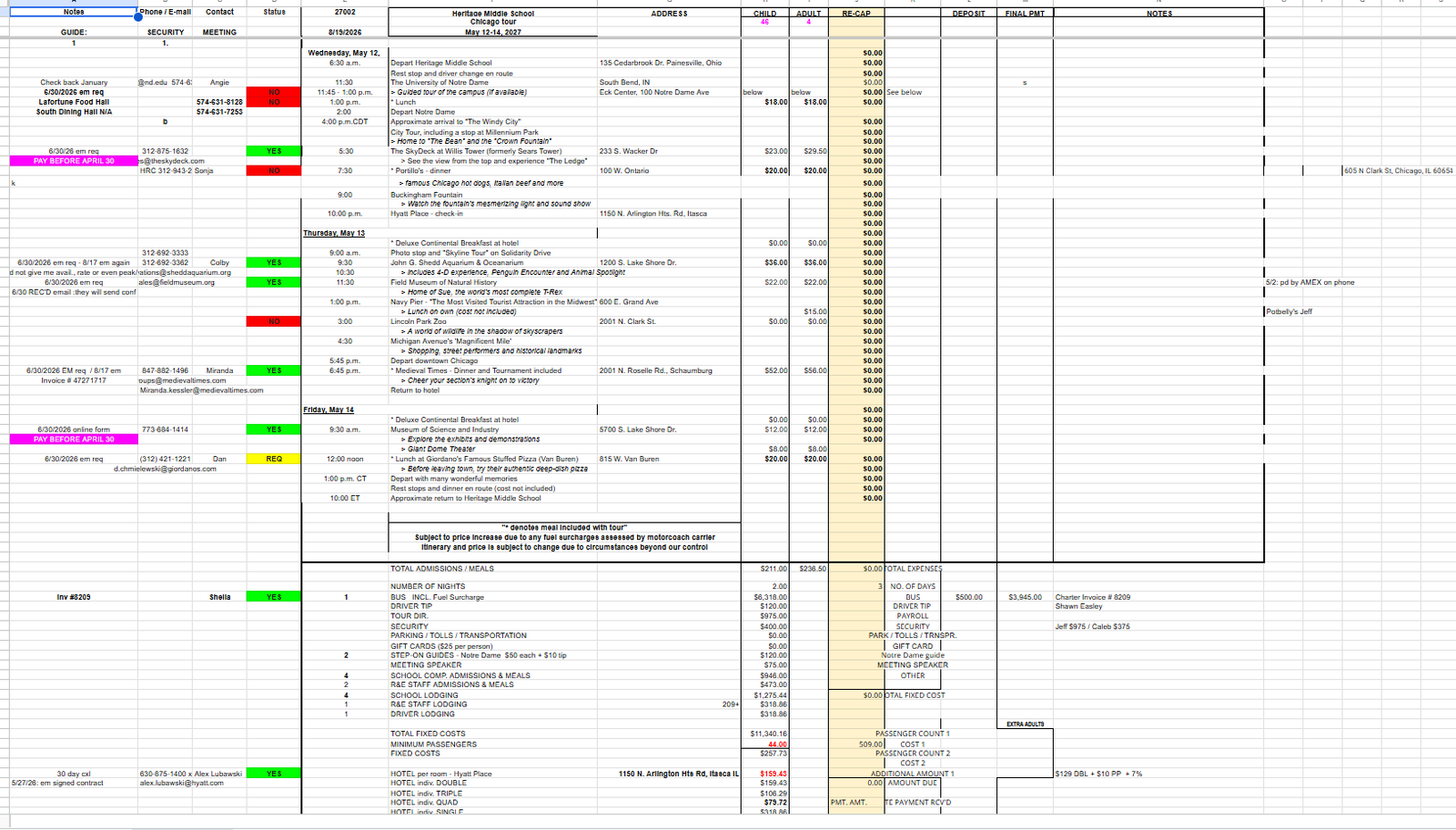
Today, Rick keeps tour records in multiple spreadsheets across multiple folders in Google Drive. In one spreadsheet, Rick tracks the itinerary and venues, calculates payments for each student, and records the staff he hires, payments made, and more. Each year he copies the previous year’s spreadsheet, so the old information carries over instead of starting fresh.
Constraints
The dashboard has to fit a small business budget, be easy for Rick to maintain without ongoing help, and feel familiar to someone who already works in spreadsheets every day. Rick also wants it to have color so it looks fun, not like another spreadsheet.
What I learned
With records this complex, I encouraged Rick to work with me one-on-one to customize each screen, so nothing was left out.
- 01[Finding — stated as what users did, not what they said.]
- 02[Finding]
- 03[Finding]
Key decisions
Building it with AI, inside Google Drive
I’m the designer, and I’m developing the dashboard with AI, which lets me take it from design to a working tool on my own. I chose Google Apps Script so the dashboard lives in Google Drive, right alongside the spreadsheets Rick already uses.
[Decision 2]
[Repeat the before / after / options pattern. Two or three decisions is plenty.]
What’s next
Next, I’ll build a working prototype, refine it through rounds of feedback with Rick, and then build the final dashboard.